

I bought the Garmin Edge 540 in the first week of March, about two years ago, out of my own pocket. Nobody sent me a sample and nobody asked for this write-up. I am 67 years old, I taught high school shop for 31 years before I retired, and I ride 50 to 70 miles twice a week out of Prescott, Arizona, where the town sits at about 5,400 feet and almost nothing around it is flat. I am not a racer. I am a man who wants to come home from a long day with something left in the tank. Two years and roughly 8,000 miles later, here is the honest version, the good and the not so good.
What pushed me into a bike computer was one ride in the fall, about two and a half years ago. Eighty miles, and it went wrong in three small ways that added up to a bad afternoon. I missed a turn outside Chino Valley and rode six miles out of my way before I would admit it. I flatted and fought the tire in the wind with cold hands and one lever that had gone missing. And I came home sorer than the ride deserved, mostly because the last hour was spent tense and lost. A paper cue sheet in the seat bag and a phone in my jersey pocket had been good enough for years. That day they were not.
The Quick Verdict
A dependable navigation tool that took me two weekends to learn and has never left me guessing where I am. The buttons and the small screen are the tax you pay for that.
Amazon Check Today's Price →Two years on the stem, and still the one I reach for
The same unit I bought in early March two years ago. Push buttons, a 2.6 inch screen, up to 26 hours of battery, and the stem mount in the box. Check today's price before your next long day.
Amazon Check Today's Price on Amazon →How I've Used It, and What I Actually Ask of It
My routine has not changed much in two years. The night before a long day I sit at the kitchen table with my laptop, sketch a route out toward Chino Valley or up toward the Bradshaws, and send it over to the Edge. In the morning I top up the tires to my usual 60 in front and 65 in back, clip the unit onto the stem mount that came in the box, and press the button. That is the whole relationship. I do not think about it between rides, which is the highest compliment I can pay a piece of equipment.
I do not race. I do not own a power meter. I have never opened the coaching screens or the suggested workout prompts, not because I disapprove of them but because at 67 my goal on a long day is to finish in decent shape and eat lunch sitting down. What I want from a computer is three things: where I am, where the next turn is, and how much climbing is still in front of me. The Garmin does all three without drama.
About 4,000 miles a year for two years is the real test, and that is what I have put on it. High desert wind. Rain that came in sideways one June. Cold mornings in the thirties when the buttons feel stiff under a glove. Chip seal that shakes the fillings loose. It has not fogged, it has not reset itself in the middle of a ride, and it has not gone dark on me at a moment when I needed it.
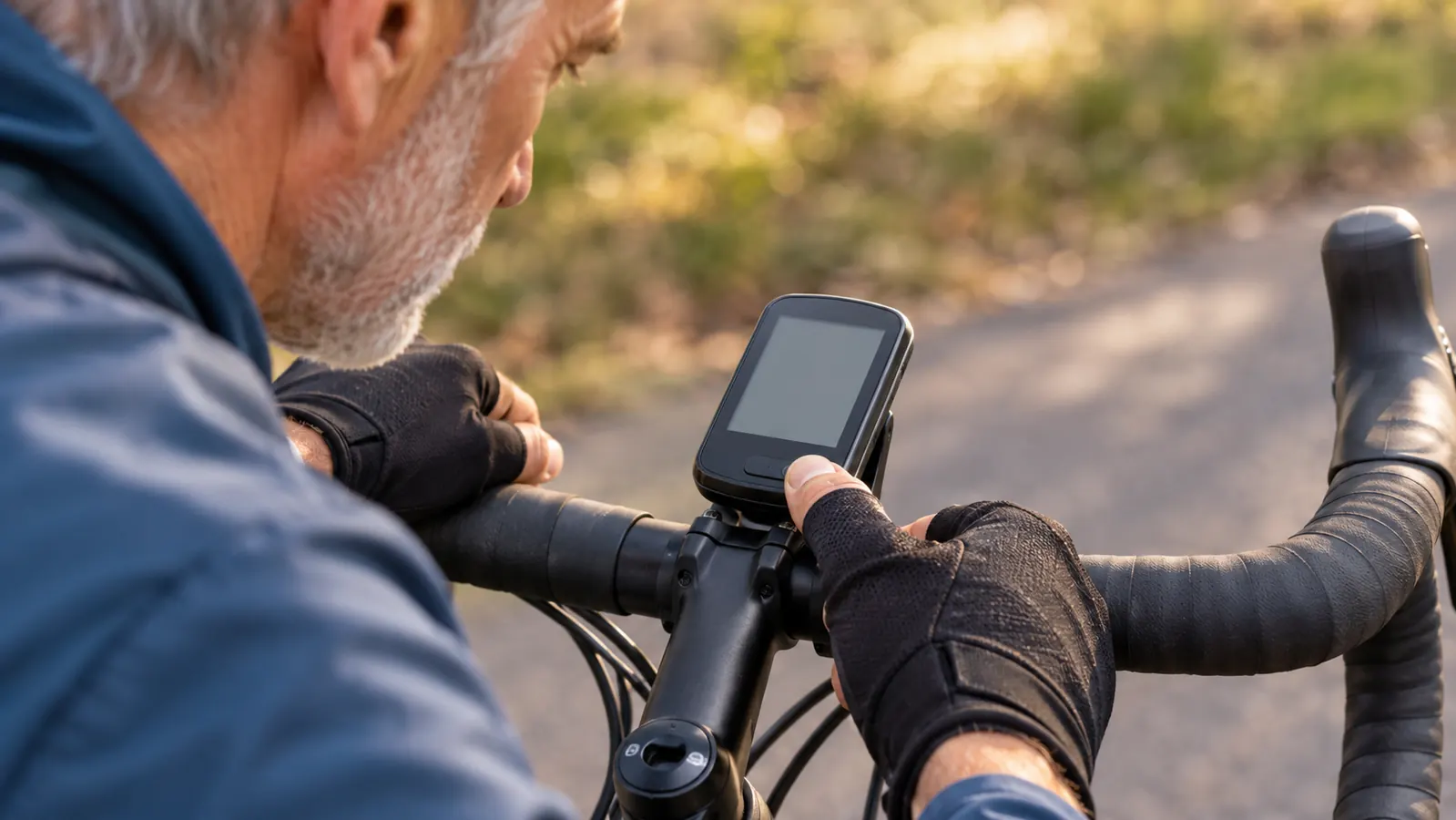
The Buttons Take Two Weekends, and That Is Not an Exaggeration
Buying the button model was deliberate. I have cold hands half the year, and I have watched riders poke at a touchscreen with a glove on and get nowhere. Buttons work when your fingers are stiff and when the screen has a smear of sweat across it. That part I got right, and I would choose it again.
The learning curve is the part nobody warns you about. Every screen is a stack of menus, and the same button does different jobs depending on where you are in the stack. For the first two weekends I got turned around more than once, and I am a man who actually reads the manual. I sat at the bench in the garage with the unit in my hand and walked through it the way I used to walk a class through a lesson plan, one step at a time, until it took.
Once it took, it took. I can mark a waypoint, back out of a menu, and start a saved course now without looking down for more than a second. But I would not hand this to a rider who will not sit with it. If you buy it, mount it, and expect to sort it out while rolling, you will be fiddling at intersections, and an intersection is the last place on earth you want your eyes on your handlebars instead of the road.
ClimbPro Is the One Feature I Would Fight to Keep
Prescott hands you climbing whether you asked for it or not. A 60 mile day out here can carry 4,000 feet of ascent without trying. ClimbPro reads the route you loaded and shows you the climb you are actually on: how much ascent is left and what the grade is right now. It is not a guess and it is not a forecast. It is your own route, read back to you in pieces you can manage.
That sounds like a small thing until you have ridden with it. My left knee complains on steep pitches, and before I had this I would push hard over a rise, turn a corner, see another rise, and lose heart. Now I can see that there is 1.2 miles left at six percent, and I can settle in and pace it instead of burning a match on the first hundred yards. On a long day that is the difference between finishing strong and finishing sour.
The catch is that it only works on a loaded course. If you are out riding with no route running, there is nothing for it to plan, and the screen will not do the thing you bought it for. I mention that because I have been asked about it twice by riders who were convinced theirs was broken.
The Screen Is Small, and I Will Not Pretend Otherwise
The display is 2.6 inches, 246 by 322, and if you wear reading glasses you will be wearing them on the bike. I keep a cheap pair in the seat bag now. Without them the basic data fields are legible, but the map detail is a smudge and the street names are not happening. This is the most honest complaint I have about the unit, and it is not going away with more use. If you are 60 or better, plan for it.
Battery has been a non-event, which is exactly what I want from a battery. It is rated to 26 hours in demanding use and up to 42 in battery saver, and I have never come close to either number. My longest single day was about 100 miles, call it seven hours with stops and a long lunch, and I finished with most of the charge still in it. I top it up after every ride the way I top up the tires, out of habit rather than need.
The rest of the hardware holds up. It weighs 2.8 ounces, so it does not wag the front end around on a windy descent. There is 16 GB inside for maps and routes, which is more than I will ever fill in this lifetime. It pairs to my phone over Bluetooth and the rides upload themselves by the time I have walked into the garage. Mounting is the stem mount that came in the box, and I have never needed a second one.

What It Doesn't Do, and Where It Falls Short
The listing mentions daily suggested workouts and training prompts that adapt as you go. I believe they are in there. I have never touched them, so I cannot tell you whether they are any good, and I will not pretend I can. If you are a rider who wants a coach on the bars, this unit will take that job, but that is not a review I am able to write honestly. My use is navigation and pacing, and that is what I am telling you about here.
People ask why not just use a phone. I used a phone for years, and I understand the question. A phone in a jersey pocket dies on a cold morning when you most need it, it does not care to be out in real rain, and looking at it means stopping or riding one-handed. The Garmin mounted on the stem is a glance, not a stop. That is not a knock on phones. It is just the difference between a tool built for one job and a tool built for forty.
There is also a limit to what any computer can tell you, and this one hits it. It will tell you the turn is coming. It will not tell you the chip seal on that road is two inches of washboard for the next three miles. I still get surprised. I still come home with sore hands on the bad stretches, which is why I ride what I ride and carry what I carry.
Nothing has broken in two years. No moisture behind the screen, no dead buttons, no mount that let go on a rough descent. The unit looks used and slightly dusty and not tired. For a piece of electronics that lives outdoors in Arizona sun, that is a better record than I expected when I opened the box.
What I Liked
- Navigation is steady and the loaded course is easy to read at a glance
- Buttons work with cold hands, gloved hands and a sweaty screen
- ClimbPro shows remaining ascent and current grade, which changed how I pace long days
- Battery goes far past any day I can ride, rated to 26 hours and 42 in battery saver
- Light enough at 2.8 ounces that wind does not push the front end around
- Stem mount came in the box and has held for two years
- Pairs to the phone by Bluetooth and uploads rides without fuss
Where It Falls Short
- Button menus took two full weekends to learn, and I read the manual
- 2.6 inch screen is small for older eyes, so carry reading glasses
- ClimbPro only works when a course is loaded
- The workout and coaching prompts are there, but I never used them and cannot vouch for them
Two years, roughly 8,000 miles, and the battery has never run out on a ride. The screen is small and the menus are slow, and I would still buy it again.
A Few Practical Notes from Two Years of Use
A short list, in case it saves you a bad afternoon. Start with a route you already know by heart, so you can tell whether the unit is guiding you correctly or confidently sending you somewhere strange. Load the course the night before, not in the driveway with your helmet already on. Keep a pair of reading glasses in the seat bag. And wipe the contacts on the mount now and then, because dust gets into everything out here and a dirty contact is a mystery you do not need.
The other thing is that the buttons want deliberate presses, not smacks. A light tap with a gloved thumb while you are bouncing along a rough shoulder may not register, and you will decide the unit is slow when it is only being honest about what it received. Press it like you mean it and it behaves every time. Small thing. It took me a month to figure out, and I am passing it along.
Who This Is For
If you are 50 or older, you ride long days rather than races, and you want a screen that tells you where the turn is and how much climb is left, this is a sensible buy. It rewards a rider who will spend two weekends learning the buttons. It suits cold hands and gloved hands. It suits riders like me who plan a route the night before and then want the machine to shut up and show them the way. Two years of hard use and I would buy it again without much debate.
It also suits the rider who wants one unit for years rather than one unit per season. I have not needed a replacement mount, a new battery, or a repair. That matters more to me at 67 than any feature list on a box. I keep notes on what held up over long miles, and this one has held up.
Who Should Skip It
If you want a large touchscreen map with pinch and zoom and street names you can read at a glance, skip this one and look at something with a bigger display. If you will not sit down with a menu tree for two weekends, skip it. If your riding is built heavily around structured training and you need to trust the workout prompts, do that homework elsewhere, because I have not used that part and I will not guess at it. And if reading glasses are already a fact of your life, budget for a second pair that lives in the seat bag.
One more thing worth saying plainly. A computer does not make the climb shorter. It does not make the wind drop or the chip seal smooth out. What it does is remove the small, tiring uncertainties that turn a good long day into a bad one: the missed turn, the six bonus miles, the hour of being lost and tense. That is the whole value, and for me it has been enough to justify the space on the stem.
The screen is small, but the route is not
Push buttons, a 2.6 inch display, up to 26 hours of battery, and the stem mount in the box. Two years and roughly 8,000 miles of my own use behind every word above. Check today's price and the full listing.
Amazon Check Today's Price on Amazon →